Free tools for independent pet sitters
Your clients and their pets, in one place
Bring your client list, pet details and care notes together. Add a client or import a CSV, then keep the next booking connected to the people you already work with.
Create your free accountNo subscription. No booking commission. No payment card required.
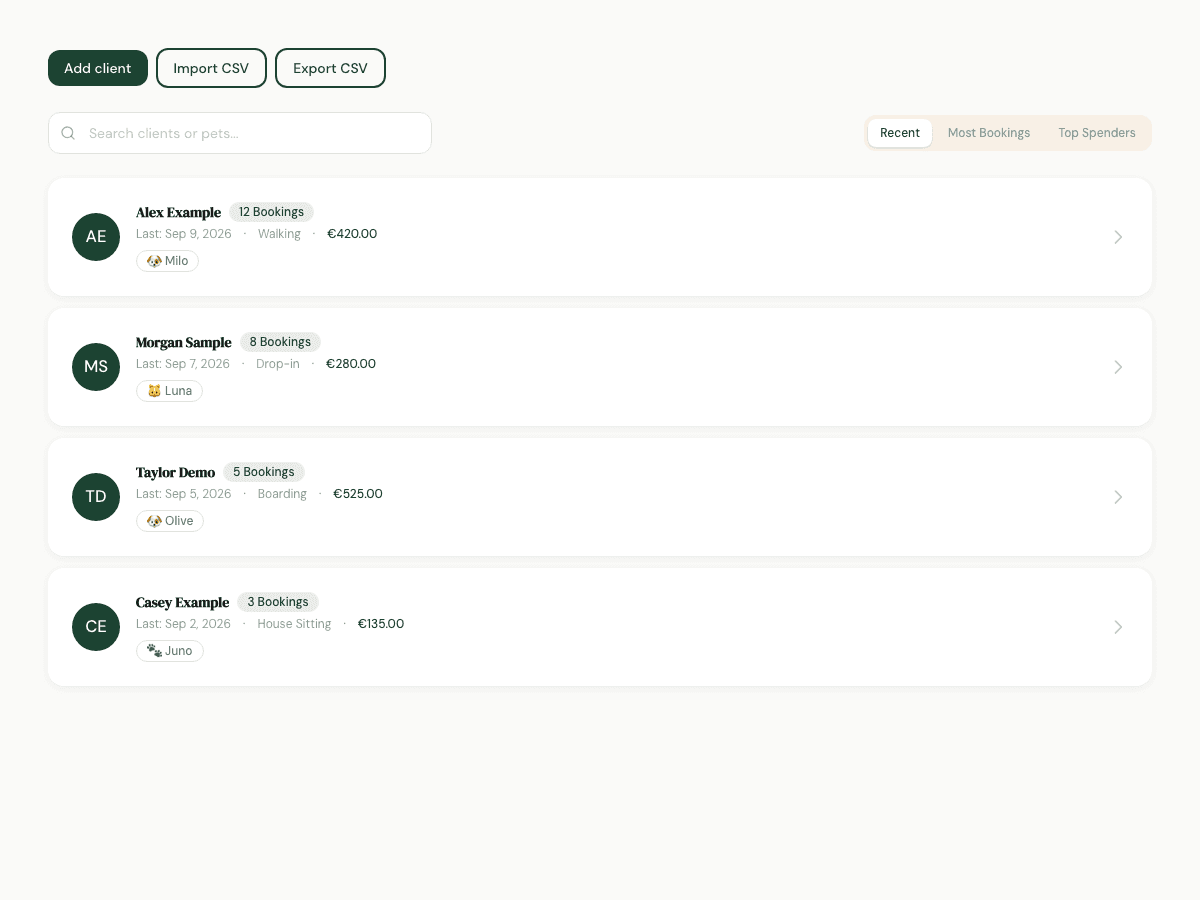
Move your list at your own pace
Start with a small, checked list. You control when a contact becomes an invitation and when a booking is agreed.
- 01
Add or import contacts
Use Add client for one contact or Import CSV for a list. Check the column headings shown in the import form and try a small sample before importing the rest.
- 02
Keep useful details together
Open a client to review pets, past bookings and your private notes. Confirm that care instructions and contact details are still current.
- 03
Invite when you are ready
Send an invitation deliberately or share your booking link. Importing a row does not send an email or create a confirmed booking.
A list that works for your next visit
You have a spreadsheet of regular dog-walking clients. Import a small sample, check a client’s pet details, add a private handover note and invite that client when you arrange the next walk. Export your client list whenever you need a copy.
What to know before you start
A saved contact is not automatically a signed-in pet parent. Imported contacts have no invented booking history. Team accounts and shared staff assignments are future work.
Practical questions
Is there a paid client limit?
No. Client management and CSV import are included for every sitter. File and batch limits protect reliability; they are not paid plan allowances.
Will importing my list email everyone?
No. Importing contacts does not notify them. Invitations are separate actions you choose to send.
Can I keep using my spreadsheet?
Yes. Export your client list as CSV and keep your own records. A CSV import or export is a file transfer, not continuous synchronisation.